UI/UX Design
Why You Should Prototype Before Building Your Website or App
In this article
- What a prototype is
- Why prototyping saves money
- Test with real users before you build
- What to prototype
- Where prototypes help most
- What the process looks like
- How to give useful feedback on a prototype
- An example: a clinic booking app
- Tools and what you’ll receive
- What prototypes can’t tell you
- Is it worth the extra cost?
- Starting your project the right way
Imagine building a house without plans, deciding where the walls go as the bricks are laid. Changing a room after the walls are up would be slow and expensive. Most people wouldn’t dream of it.
Yet websites, apps and business software are often built exactly this way. The developer starts coding from a written list of features, and the client sees the product for the first time when much of the work is done. That’s when everyone discovers the checkout is confusing, the dashboard shows the wrong information, or a key step is missing.
A prototype prevents that. It’s a clickable model of your website or app that looks and behaves like the real thing, built before any code is written. This article explains what prototypes are, why they save money, and how to use them well.
What a prototype is
A prototype is a simulation of your product, usually built in a design tool such as Figma. You can tap buttons, move between screens, open menus and walk through key tasks — booking an appointment, placing an order, filling a form — but nothing is actually saved, and there’s no real data behind it.
Prototypes come in different levels of detail:
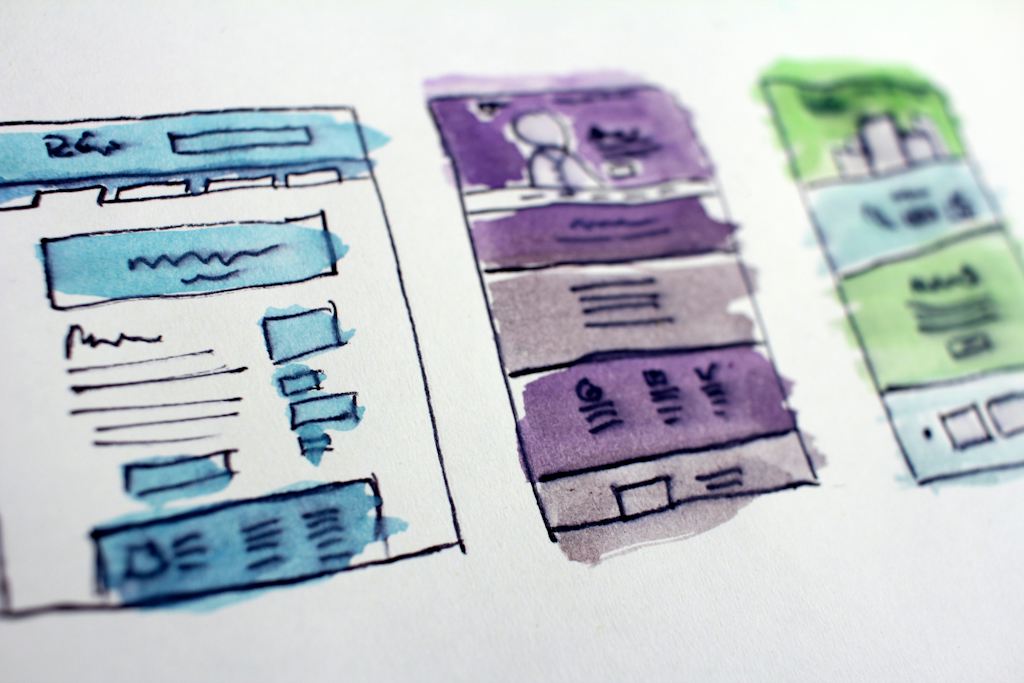
- Low-fidelity: simple grey boxes and placeholder text showing layout and flow. Quick to make and change.
- High-fidelity: realistic visual design with real content, colours and images, almost indistinguishable from the finished product.
Many projects start low-fidelity to settle structure, then move to high-fidelity once the flow is right.
Why prototyping saves money
Changes get more expensive the later they’re made. Moving a button in a design file takes minutes. Moving it after the screen is coded, connected to a database and tested takes much longer, and can break other things.
A prototype brings the expensive discoveries forward to when they’re cheap:
- Missing steps or screens are noticed before development is estimated
- Stakeholders agree on what they’re getting, reducing disputes later
- Developers get a clear reference, so they build the right thing first time
- Quotes become more accurate, because the scope is visible rather than imagined
Test with real users before you build
The biggest benefit of a prototype is the chance to watch real people use it. You don’t need a laboratory or a large budget. A useful round of testing looks like this:
- Recruit four to six people who match your real users — customers, staff or people from your target audience.
- Give each person a realistic task: “Book an appointment with a physiotherapist for next Tuesday evening.”
- Watch silently as they try, on their own phone or computer. Ask them to think aloud.
- Note where they hesitate, misunderstand or get stuck.
- Fix the biggest problems in the prototype, and test again if needed.
Even a handful of sessions usually reveals the most serious problems. It’s humbling and extremely valuable: features the team thought were obvious often confuse users completely.
What to prototype
You don’t need to prototype every screen. Focus on the parts where mistakes are most costly:
- Key user tasks: sign-up, booking, checkout, search, placing an order
- Complex screens: dashboards, forms with many fields, settings
- Anything new or unusual that users haven’t seen elsewhere
- The homepage and main navigation of a website, which shape how visitors find everything else
Where prototypes help most
- Mobile apps: where every screen and tap matters and changes after launch require store updates
- Business software and dashboards: where staff will use the screens every day and inefficiency adds up
- E-commerce: especially product pages and checkout, where small improvements affect sales
- Websites with complex structures: many services, audiences or locations
- Projects needing approval from several people or investors, who understand a clickable demo far better than a document
For a simple five-page brochure website, a full prototype may be unnecessary; wireframes or a homepage design can be enough.
What the process looks like
- Understand: conversations with you and, ideally, a few users about goals, tasks and frustrations.
- Map flows: diagrams of the steps users take for key tasks.
- Wireframe: low-fidelity layouts for the main screens.
- Prototype and review: link screens together, review with you, and refine.
- Test: sessions with real users, then fixes.
- Visual design: high-fidelity screens applying your brand.
- Handover: developers receive the prototype, specifications and design components.
For a typical app or software project, prototyping the core flows might take a few weeks. It often shortens the overall project, because development has far fewer surprises.
How to give useful feedback on a prototype
- Try real tasks instead of just looking at screens.
- Describe problems, not solutions: “I couldn’t find where to change the delivery address” is more useful than “make the button blue”.
- Consider your users, not only your own preferences. Would a first-time customer understand this?
- Consolidate feedback from your team into one list, with priorities, rather than many separate messages.
- Raise big concerns early. It’s much easier to change direction now than later.
An example: a clinic booking app
Suppose a clinic wants an app for patients to book appointments. The written requirement might simply say: “Patients can book appointments with doctors.” A prototype forces the important questions into the open:
- Do patients choose a doctor first, or a date and time first?
- What happens if a slot is taken while they’re booking?
- How do family members book for elderly parents or children?
- What does reception see, and how do they reschedule?
- What reminder does the patient get, and can they cancel from it?
In testing, the team might discover that many patients don’t know which doctor they need, so a “choose by problem” option is added. Making that change in a prototype takes an afternoon. Discovering it after launch would mean redesigning screens, changing the database and releasing an app update.
Tools and what you’ll receive
Most design teams use Figma for wireframes, visual design and prototypes. You don’t need to buy or learn it; you’ll receive a link that opens the prototype in a browser or on your phone, where you can click through and leave comments directly on screens. At the end, developers receive the same file with measurements, colours, components and notes, so there’s one shared source of truth.
What prototypes can’t tell you
Prototypes are excellent for testing structure, flow and understanding, but they have limits. They don’t show real performance, real data volumes, edge cases such as errors and empty states unless designed specifically, or how the product behaves on slow connections. Developers still need to plan for these, and final testing on real devices remains essential.
Is it worth the extra cost?
Prototyping adds design time at the start of a project. For anything beyond a simple website, it usually pays for itself by reducing rework, avoiding features nobody uses, and producing a product people can actually use without help. It also reduces support costs after launch, because fewer users get stuck and call for help, and it gives your team confidence that what’s being built is right. It also gives you something concrete to show investors, partners or your own team long before launch.
Starting your project the right way
If you’re planning an app, software system or complex website, ask any agency you’re considering how they design and test before building. A team that prototypes and tests with users is more likely to deliver what you actually need.
Our UI/UX team designs clickable prototypes in Figma and tests them with real users before development starts. Talk to us about your project. If you’re still deciding whether you need an app at all, read do you really need a mobile app?